Easy Steps to Download RCMC Certificate Online in India
Page Contents (5)
If you are an exporter in India, you probably already know that the paperwork can be a nightmare sometimes. One of the most important pieces of paper—well, digital files these days—is the RCMC. It stands for Registration Cum Membership Certificate. Basically, if you want to get any kind of help or incentives from the government, like duty drawbacks or tax remissions, you simply cannot move a step without this certificate.
Before you had to run around to different offices or wait for a courier to arrive with your membership details. But now thanks to the digital push by the DGFT (Directorate General of Foreign Trade) everything is online
Why do you even need this certificate?
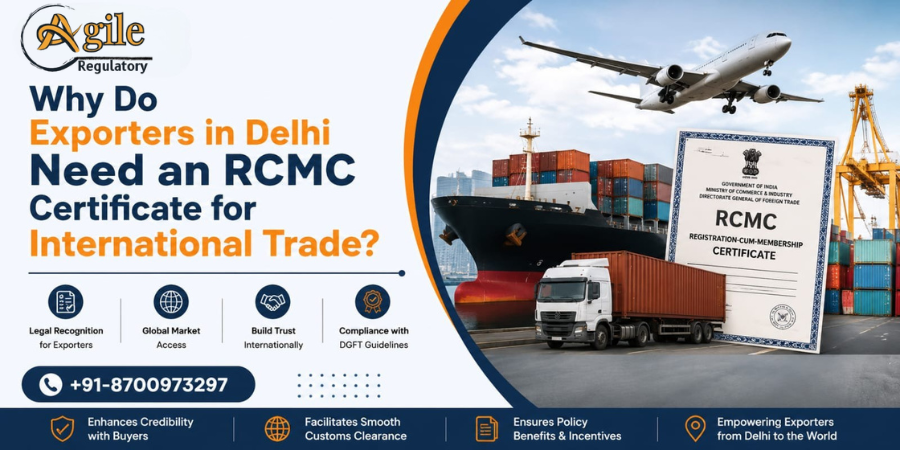
To be honest, the RCMC is more than just a proof of membership. It is your entry ticket to the big league of international trade. If you are exporting agricultural goods, you deal with APEDA. If it is engineering stuff, it is EEPC. Each of these councils works to promote Indian goods abroad.
By having your RCMC, you can:
- Claim benefits under the RoDTEP or RoSCTL schemes which basically save you a lot of money on taxes.
- Get your shipments cleared through customs much faster because the system knows you are a registered player.
- Import raw materials without paying heavy duties, provided those materials are used to make products for export.
- Show your buyers that you are a legitimate, government-recognised business entity.
Getting your things ready before you start
Even before you open the website of DGFT you must ensure that your technical set up is correct. Unless you have connected your IEC (Import Export Code) to your profile you will not see anything. Ensure you have a Digital Signature Certificate (DSC) plugged in also.
What you need on hand:
- Your DGFT login ID and the password (don't lose these!).
- An active IEC that is updated on the portal.
- A decent internet connection because the DGFT site can be quite slow during peak office hours.
- Java or the required drivers for your DSC if the system asks for a fresh signature.
Silk Export from India in 2026 with ISEPC and RCMC Registration
Get Free Consultation!
The Actual Steps to Download the RCMC
Here is how you actually get the file onto your computer
1. Logging into the DGFT Portal
First go to the official website at dgft.gov.in. You will see a login button on the top right. Enter your username and password. Once you are in you will see your dashboard with all your company details
2. Navigate to the e-RCMC Section
On the dashboard look at the top menu bar. There is a tab called "Services." Click on that, and a dropdown will appear. You need to look for "e-RCMC" and then select the option that says "View and Track Application." This is where all your membership history lives.
3. Filtering your search
If you have been in business for a while you might see many rows of data. Use the filter to find your most recent application. You should see the name of your council like APEDA or FIEO and the date you applied. Look at the status column very carefully. It should say "Approved" or "Issued."
4. The Download Action
Once you find the approved row look at the right side under the "Actions" tab. Usually there is a small icon for download. Click on "View." A new window will pop up showing your application details. Somewhere in that window there will be a button labeled "Download Certificate" or "Print Certificate".
5. Save the PDF
When you click it the certificate usually opens in a new tab as a PDF. Download the certificate and save the file with a clear name so you can find it easily later
Checking the details on your certificate
Once you have the download, dont just file it away. Check it!
- Is your address correct?
- Are the product categories (HSN codes) right?
- Does it show the correct category of exporter (Merchant vs Manufacturer)?
- Is the validity period showing the full 5 years?
If there is a mistake you have to file for an "Amendment" immediately. Its much easier to fix it now than when your ship is standing at the port and the customs officer is asking questions.
Conclusion and Final Tip
Downloading the RCMC is actually the easy part once you get the hang of the DGFT portal's layout. The real work is keeping it updated. Every time you change your office address or add a new partner to your firm, you must update your RCMC too.
Always keep a digital backup on a cloud drive. You never know when you might need to pull it up on your phone during a meeting or at a bank. If you keep your IEC and RCMC data synced perfectly, your export business will run a lot smoother.

About the Author
View ProfileNishi Chawla
Content Writer & Compliance Specialist
Nishi is an expert content writer with expertise in Business Legal Compliances, Certifications, and Registrations — BIS, EPR, Medical Devices, Cosmetics, Drugs, and Import Export. She holds a B.Com from the University of Delhi and has been writing industry content since 2019.
.png)